
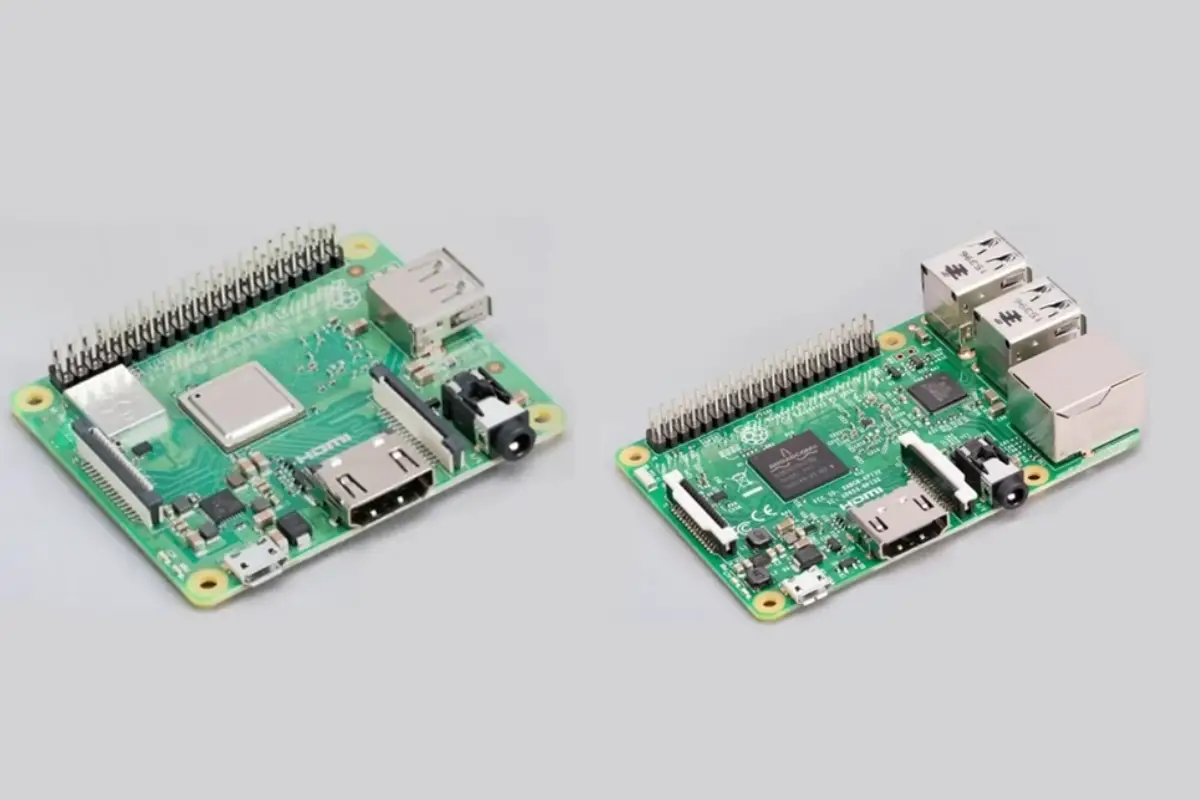
Quick Answer: As of October 2026 the current full-size Raspberry Pi is the Pi 5, with a 2.4GHz quad-core Cortex-A76 and 1GB to 16GB of RAM. The Pi 4 has a 1.8GHz Cortex-A72. The Pi 400 and Pi 500 are keyboard computers, the Zero boards are small and Wi-Fi only, and the Pico is a microcontroller that does not run Linux.
This post lists every Raspberry Pi line from Raspberry Pi's own pages, then matches boards to jobs.
Which Raspberry Pi models are there, and how do they compare?
The years are those printed beside each model in the Raspberry Pi documentation, read in October 2026.
| Model | Year | CPU | RAM | Wireless | Ethernet | USB | Video out |
|---|---|---|---|---|---|---|---|
| Pi 1 (A, B, A+, B+) | 2012 to 2014 | 700MHz single-core ARM11 | 256 or 512MB | None listed | B and B+ 100BASE-T; A and A+ none | 1 to 4 USB 2.0 | HDMI |
| Pi 2 B | 2015 | 900MHz quad-core Cortex-A53 (A7 on early boards) | 1GB | None listed | 100BASE-T | 4 USB 2.0 | HDMI |
| Pi 3 B | 2017 | 1.2GHz quad-core Cortex-A53 | 1GB | 2.4GHz Wi-Fi, Bluetooth 4.1 | 100BASE-T | 4 USB 2.0 | HDMI |
| Pi 3 A+ | 2018 | 1.4GHz quad-core Cortex-A53 | 512MB | Dual-band Wi-Fi, Bluetooth 4.2 | None | 1 USB 2.0 | HDMI |
| Pi 3 B+ | 2018 | 1.4GHz quad-core Cortex-A53 | 1GB | Dual-band Wi-Fi, Bluetooth 4.2 | Gigabit port on USB 2.0 | 4 USB 2.0 | HDMI |
| Pi 4 B | 2019 | 1.8GHz quad-core Cortex-A72 | 1, 2, 3, 4 or 8GB | Dual-band Wi-Fi, Bluetooth 5.0 | Gigabit | 2 USB 3.0, 2 USB 2.0 | 2 micro-HDMI |
| Pi 400 | 2020 | 1.8GHz quad-core Cortex-A72 | 4GB | Dual-band Wi-Fi, Bluetooth 5.0 | Gigabit | 2 USB 3.0, 1 USB 2.0 | 2 micro-HDMI |
| Pi 5 | 2023 | 2.4GHz quad-core Cortex-A76 | 1, 2, 4, 8 or 16GB | Dual-band Wi-Fi, Bluetooth 5.0 | Gigabit | 2 USB 3.0, 2 USB 2.0 | 2 micro-HDMI, 4K 60Hz |
| Pi 500 / 500+ | 2024 / 2025 | 2.4GHz quad-core Cortex-A76 | 8GB / 16GB | Dual-band Wi-Fi, Bluetooth 5.0 | Gigabit | 2 USB 3.0, 1 USB 2.0 | 2 micro-HDMI, 4K 60Hz |
| Zero | 2015/2016 | 1GHz single-core ARM11 | 512MB | None | None | 1 micro USB OTG | Mini-HDMI |
| Zero W / WH | 2017 / 2018 | 1GHz single-core ARM11 | 512MB | 2.4GHz Wi-Fi, Bluetooth LE | None | 1 micro USB OTG | Mini-HDMI |
| Zero 2 W | 2021 | 1GHz quad-core Cortex-A53 | 512MB | 2.4GHz Wi-Fi, Bluetooth 4.2 | None | 1 micro USB OTG | Mini-HDMI |
Sources: classic models list, keyboard computers and Zero models. The Pi 4 product page text lists 1, 2, 4 and 8GB.
What changed between the Pi 3, Pi 4 and Pi 5?
The Pi 4 added full Gigabit Ethernet, USB 3.0 and two micro-HDMI ports. The Pi 5 adds a faster CPU, up to 16GB of RAM, a PCIe 2.0 interface and a power button. See our Raspberry Pi 5 vs 4 comparison and power requirements guide.
What are the Pi 400 and Pi 500?
They are Raspberry Pi boards built into a keyboard. The Pi 400 is based on the Pi 4, the Pi 500 on the Pi 5. The Pi 500+ has 16GB, mechanical keys and a 256GB M.2 SSD. Raspberry Pi's products page shows the Pi 500 from $180 and the 500+ from $410 as of October 2026, and shows no price for the Pi 400.
Where do the Zero, Compute Module and Pico fit?
The Zero boards are about 65 mm by 30 mm. The Zero 2 W product page calls it a $15 computer.
Compute Modules have the core of a Pi without the usual HDMI, USB or Ethernet connectors, and are meant for embedded and industrial products. The documentation lists the CM5 (2024) with a 2.4GHz Cortex-A76, 2 to 16GB of RAM and optional eMMC. The products page shows it from $67.50. The Compute Module 4 page covers the older module.
The Pico is a microcontroller board, not a small Pi. The documentation says it does not run Linux, and that you program it in MicroPython, C or C++. Pico 1 uses the RP2040, Pico 2 uses the RP2350, and the products page shows them from $4 and $5. Our Pico guide explains it.
Which Raspberry Pi should you pick for each job?
This is guidance from the specs above, not a benchmark.
| Job | Suits | Why, from the specs |
|---|---|---|
| Desktop with nothing else to buy | Pi 500 or 500+ | Board built into the keyboard |
| Home server or NAS | Pi 5 or Pi 4 B | Gigabit Ethernet and USB 3.0 |
| Small Wi-Fi project | Zero 2 W | Four cores, 65 mm by 30 mm |
| Product with its own carrier board | Compute Module | Core of a Pi, no connectors |
| Sensors and motors without an OS | Pico | Microcontroller, no Linux |
When is a newer Pi the wrong choice?
When you only need a small or low-power board. The Pi 5 page lists 5V at 5A, and the Pi 3 B+ page lists 5V at 2.5A. For a sensor logger or one script, a Zero 2 W or a Pico is simpler. The products page shows no price for the Pi 1 to Pi 4 boards, so check a current listing.
Frequently asked questions
What is the latest Raspberry Pi model?
As of October 2026 the Pi 5 is the newest full-size board on Raspberry Pi's products page, with the Pi 500+ the newest keyboard computer. The page lists no Pi 6.
Which Raspberry Pi has Wi-Fi built in?
The Pi 3 B, 3 A+, 3 B+, Pi 4, Pi 400, Pi 5, Pi 500 and 500+, Zero W, Zero WH and Zero 2 W. The Pi 1, Pi 2 and original Zero list no wireless.
Does every Raspberry Pi have Ethernet?
No. The Pi 3 A+ and the Pi A and A+ have none, and the Zero boards have no Ethernet port. The Pi 3 B+ Gigabit port runs over USB 2.0, with a practical limit near 300Mb/s.
What is the difference between a Pi 4 and a Pi 5?
The Pi 5 has a 2.4GHz Cortex-A76 against the Pi 4's 1.8GHz Cortex-A72, and up to 16GB of RAM against 8GB. It adds PCIe 2.0 and a power button.
Is a Raspberry Pi Pico the same as a Raspberry Pi?
No. A Pico is a microcontroller board that does not run Linux. You program it in MicroPython, C or C++.